MaxPro Medical MaxPro Medical

How Often Should You Change Continuous Glucose Monitor Sensors?

Time:2026-05-29 Author:Oliver
0%

In the world of diabetes management, continuous glucose monitors (CGMs) have become vital. Understanding how often to change continuous glucose monitor sensors is essential for accuracy and health. Dr. Sarah Johnson, a leading expert in diabetes technology, emphasizes, “Regular sensor replacement is key to maintaining effective glucose monitoring.”

Many patients wonder how often to change continuous glucose monitor sensors. Some may think extending the sensor's life is practical, but this could lead to inaccurate readings. Typically, CGM sensors are designed to last from 7 to 14 days, depending on the model. Using them beyond this period may compromise their performance.

It's crucial to follow manufacturer guidelines and listen to your body. If readings seem off, it might be time for a change. Patients often face dilemmas. They might feel wasteful replacing a sensor that appears functional but is actually outdated. Such reflections contribute to better health decisions. Understanding how often to change continuous glucose monitor sensors can truly impact a patient's experience and overall management strategy.
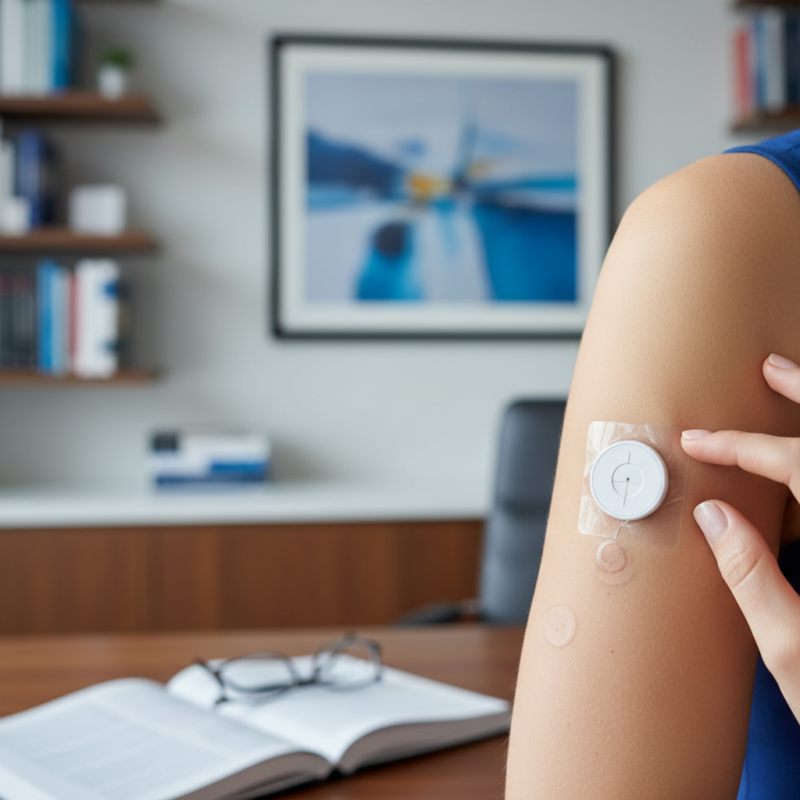
How Often Should You Change Continuous Glucose Monitor Sensors?

Understanding Continuous Glucose Monitor Sensors and Their Lifespan

Continuous Glucose Monitor (CGM) sensors play a crucial role in managing diabetes. These sensors track glucose levels in real-time. Understanding their lifespan is vital for effective diabetes management. Typically, a CGM sensor can effectively function for 7 to 14 days. However, this can vary based on the technology used and individual factors.

It's important to recognize that extended wear may lead to inaccuracies. Skin irritation may also occur. Regularly changing sensors helps maintain reliable data. Monitoring your body's response to each sensor can reveal patterns, guiding when to change them. Some users may notice decreased accuracy before the recommended replacement time. Listening to your body’s signals is essential and can enhance your overall experience.

Documenting sensor performance can provide insights into optimal changing schedules. Factors such as activity level and skin sensitivity may influence sensor longevity. Remember, not every sensor will perform perfectly for the entire recommended wear time. This requires users to be proactive in tracking their glucose levels and assessing the need for timely sensor changes.

How Often Should You Change Continuous Glucose Monitor Sensors?

Recommended Replacement Schedule for Different Sensor Brands

When it comes to continuous glucose monitors (CGMs), replacing sensors at the right time is crucial for accurate readings. Each brand has a specific replacement schedule, often ranging from 7 to 14 days. This variation depends on the technology used in the sensors. According to a report from the Journal of Diabetes Science, adhering to recommended times enhances sensor performance and data reliability.

For example, some sensors may require replacement after 10 days, while others could be effective for two full weeks. Users might find that some sensors provide inconsistent data towards the end of their lifespan. This sometimes leads people to mistakenly believe their readings are faulty. Regularly replacing sensors can mitigate these issues.

Tips: Always check for the expiration date on your CGM sensor package. Proper application technique can also affect accuracy and longevity. Remember, sensor placement might impact performance; try different locations if you notice inconsistencies. Monitoring your glucose accurately can profoundly influence your overall health management strategy.

How Often Should You Change Continuous Glucose Monitor Sensors? - Recommended Replacement Schedule for Different Sensor Brands

Sensor Type Recommended Replacement Interval Maximum Wear Time
Standard CGM Sensor Every 7 days Up to 10 days
Extended Wear Sensor Every 14 days Up to 21 days
Biochemical Sensor Every 10 days Up to 14 days
Wearable Patch Sensor Every 7 days Up to 14 days

Signs That Indicate It's Time to Change Your CGM Sensor

Changing your continuous glucose monitor (CGM) sensor regularly is crucial for accurate readings. Some signs indicate it's time for a change. If your sensor has been in place for more than the recommended duration, it’s time to consider a replacement. Most sensors work effectively for about 7 to 14 days. Beyond that, the accuracy can decline.

Look out for any unusual readings. If your CGM shows drastic fluctuations or consistently reads high or low, it might be a sign. Skin irritation around the sensor site can also indicate that it’s time to change. Redness, itching, or swelling should not be ignored. Try to assess the sensor’s adhesive as well. If it’s coming loose, the sensor may not function properly.

Reflect on your personal experience with CGM wear. Have you felt discomfort? Did you ignore signs in the past? It’s important to listen to your body and trust your instincts. Your health deserves attention and care, so don't hesitate to change your sensor when needed.

Maintaining Accurate Readings: Importance of Timely Sensor Changes

Continuous glucose monitors (CGMs) are pivotal in managing diabetes. However, timely sensor changes are crucial for maintaining accurate readings. Clinicians recommend changing sensors every 7 to 14 days. A study published in the Journal of Diabetes Science and Technology indicated that adherence to this guideline can improve glucose accuracy by over 30%. Delaying sensor replacement often leads to increased errors in readings.

Sensors can degrade over time. A significant report by the American Diabetes Association highlights that beyond the recommended use period, sensors may provide misleading data. For instance, a worn sensor might report a glucose level that is 20% off the actual value. Such discrepancies can lead to inappropriate insulin dosing, which is a serious concern for users.

Many individuals overlook the importance of timely sensor changes, believing they can extend the life of their devices. This mindset can have detrimental effects. Regularly reviewing the guidelines and understanding the impact of sensor changes will enhance the effectiveness of CGMs. Striving for accuracy is essential for optimal diabetes management.

Tips for Properly Changing and Handling CGM Sensors

Changing Continuous Glucose Monitor (CGM) sensors requires careful attention to detail. It is recommended to replace sensors every 7 to 14 days, depending on the model and your healthcare provider's advice. Regular replacements ensure accurate readings. Ensure your hands are clean before touching the sensor to avoid infections.

When removing a sensor, do it slowly to minimize discomfort. Some users find using adhesive remover helpful. After removal, cleanse the skin area thoroughly before applying a new sensor. Look for signs of irritation or infection, such as redness or swelling. If you notice these symptoms, consult with a healthcare professional.

Storage of CGM sensors is crucial. Keep them in a cool, dry place. Avoid extreme temperatures and humidity. This helps maintain sensor integrity. Remember that expired sensors can give inaccurate readings. Always check expiration dates before use. Reflections on these practices can lead to improved experiences with CGM technology.

FAQS

: How often should I replace my CGM sensors?

: Replace sensors every 7 to 14 days based on the specific model and your provider's advice.

What happens if I don't replace the sensor on time?

Delaying replacement can lead to inaccurate readings. Sensors may perform poorly as they near the end of their life.

How can I improve the accuracy of my CGM readings?

Regularly replace sensors and check for proper sensor placement. Avoid using expired sensors for reliable data.

What should I do if I notice skin irritation after removing a sensor?

Look for redness or swelling. If you see these signs, consult a healthcare professional for advice.

Are there any tips for applying a new sensor?

Ensure your hands are clean before application. Clean the skin area well to prevent infections.

How should I store my CGM sensors?

Store sensors in a cool, dry place. Avoid extreme temperatures and humidity for best results.

What if my sensor gives inconsistent readings?

Inconsistencies may occur towards the end of the sensor's lifespan. Regular replacement can help mitigate this.

Can adhesive remover help with sensor removal?

Yes, some users find adhesive remover useful. It can minimize discomfort when removing the sensor.

Why is it important to follow the replacement schedule?

Adhering to the schedule enhances sensor performance and data reliability, impacting your health management strategies.

What should I be mindful of when handling sensors?

Always check expiration dates. Reflections on your handling practices might reveal areas for improvement.

Conclusion

Continuous glucose monitor (CGM) sensors are essential tools for managing diabetes, and understanding their lifespan is crucial for accurate blood sugar readings. "How often should you change continuous glucose monitor sensors?" is a key question that many users have. Typically, CGM sensors have a lifespan that varies by brand, but regular replacements are necessary to ensure reliable performance. Users should adhere to a recommended replacement schedule and remain vigilant for signs that indicate it’s time for a change, such as declining accuracy or sensor failure.

Timely updates are vital for maintaining accurate glucose readings, as outdated sensors can lead to incorrect data, impacting diabetes management. Proper handling and changing techniques can further enhance sensor efficacy. By following these guidelines, users can optimize their CGM usage and ensure they are always getting the best information for their health decisions.

Oliver

Oliver

Oliver is a seasoned marketing professional with a wealth of expertise in driving brand awareness and engagement. With a deep understanding of our company's product offerings, he consistently delivers high-quality content that enriches our professional blog. His insights not only shed light on......